Describe the job. Get a ready-to-load robot program.

Built for everything around the program too
One tool for writing programs, reading the ones you already run, editing them safely, and diagnosing the robots on your line.
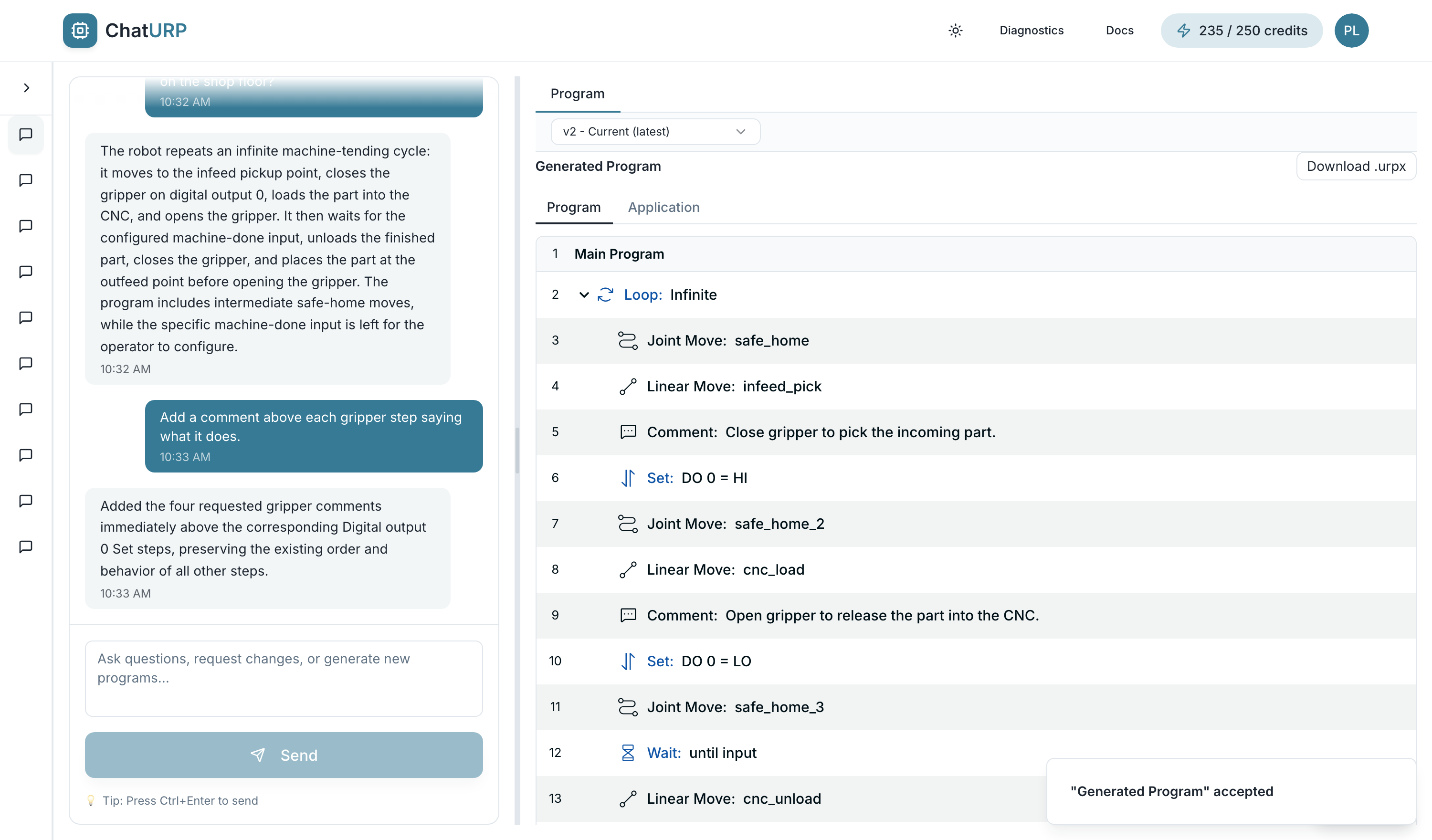
Ask about your program
Import what you already have and ask what it does, why a step is there, or what looks wrong.
- Import what you already runDrop in a .urp or .urpx. It round-trips into an editable tree with structure and expressions intact.
- Explain it in plain EnglishAsk what a program does, why a step exists, or how a section works - answers cite the line they came from.
- Find bugs and rough edgesTrack down the move, condition or I/O that misbehaves, and hear where a program is doing more work than it needs to.
How it works
From a sentence to a file your robot loads - in four steps.
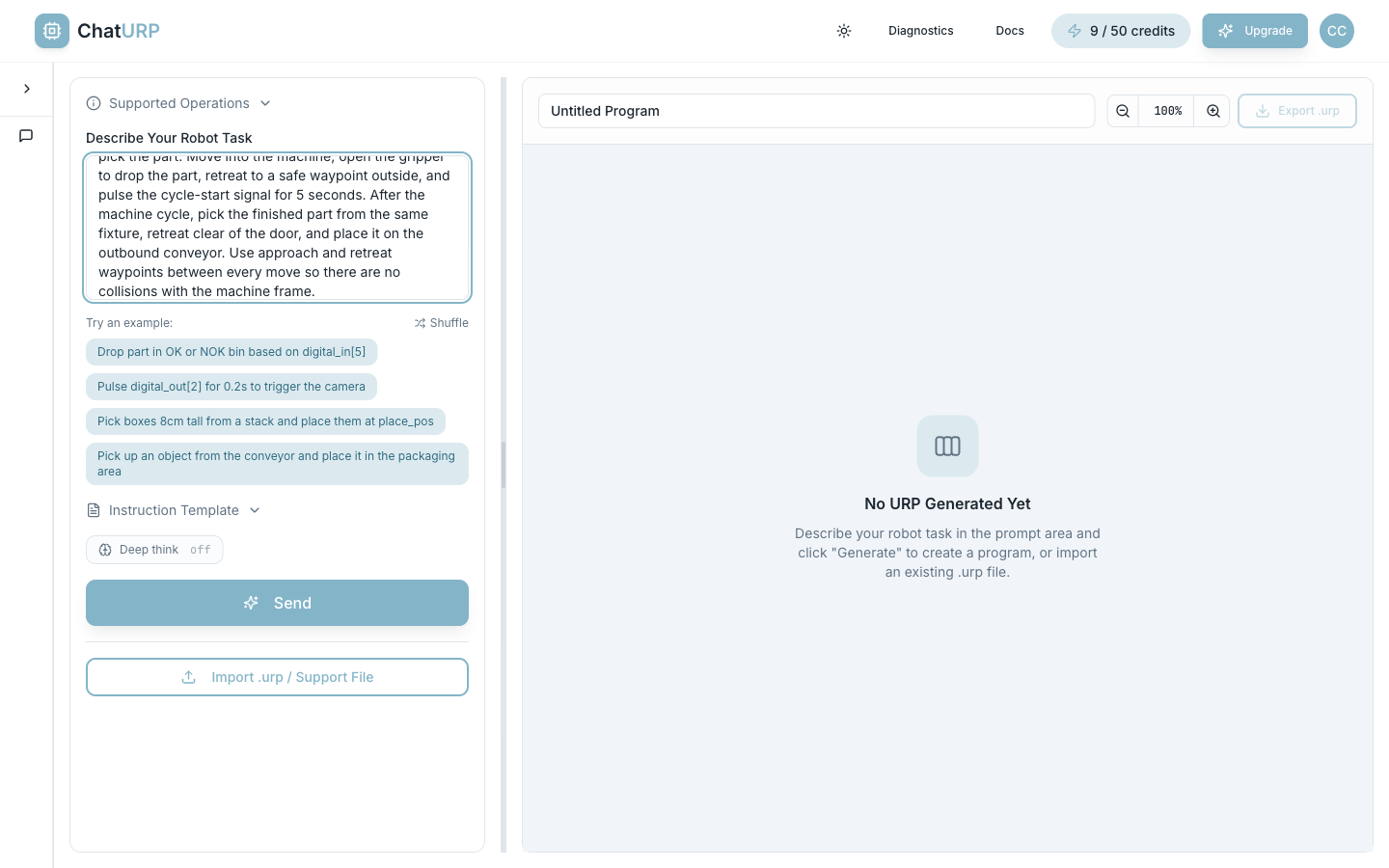
Describe your task
Plain English. Here: a CNC load/unload cycle with conveyor pick, machine cycle and outbound place.
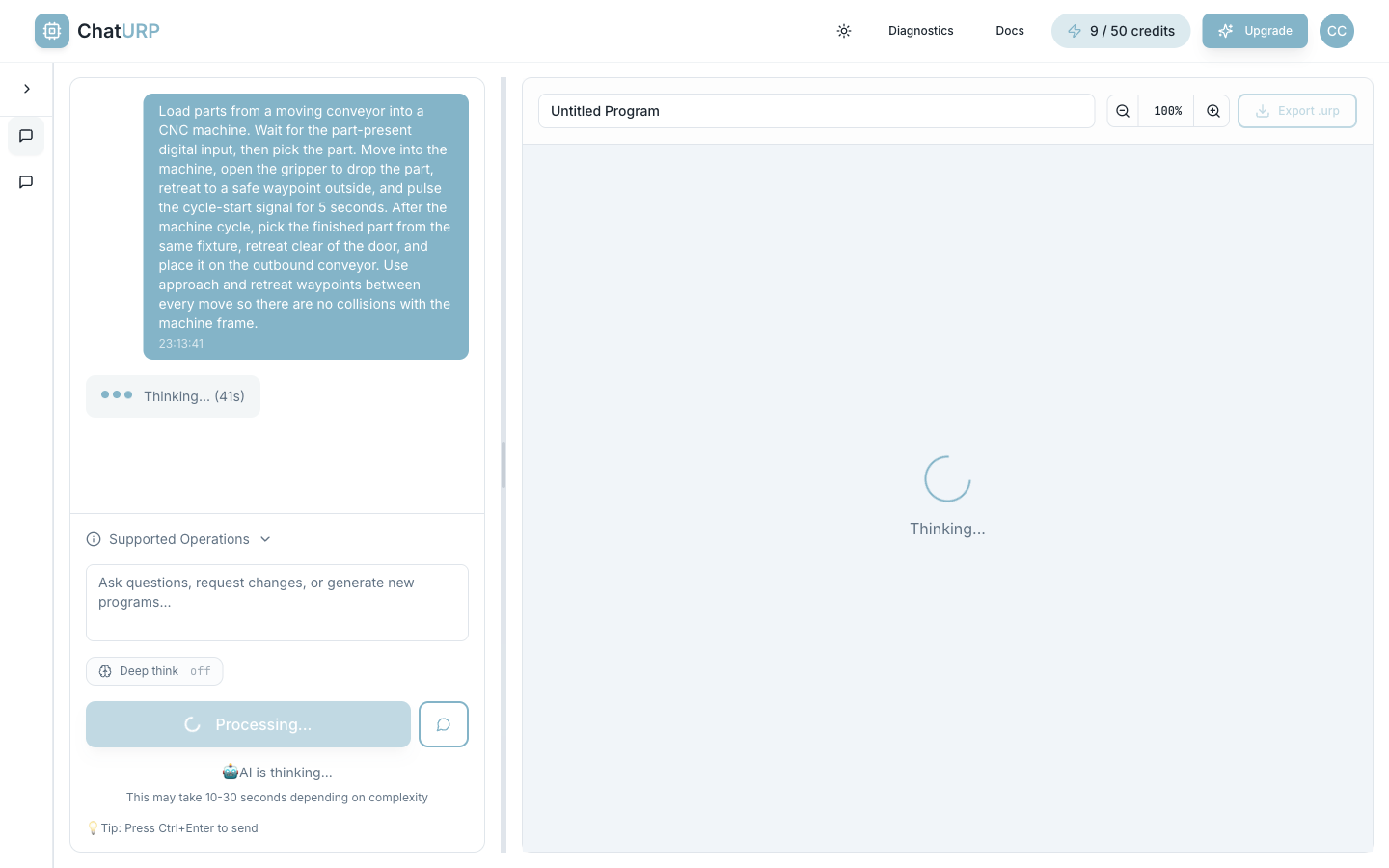
AI drafts the program
Structured nodes - moves, loops, I/O, conditionals - emitted following UR conventions.
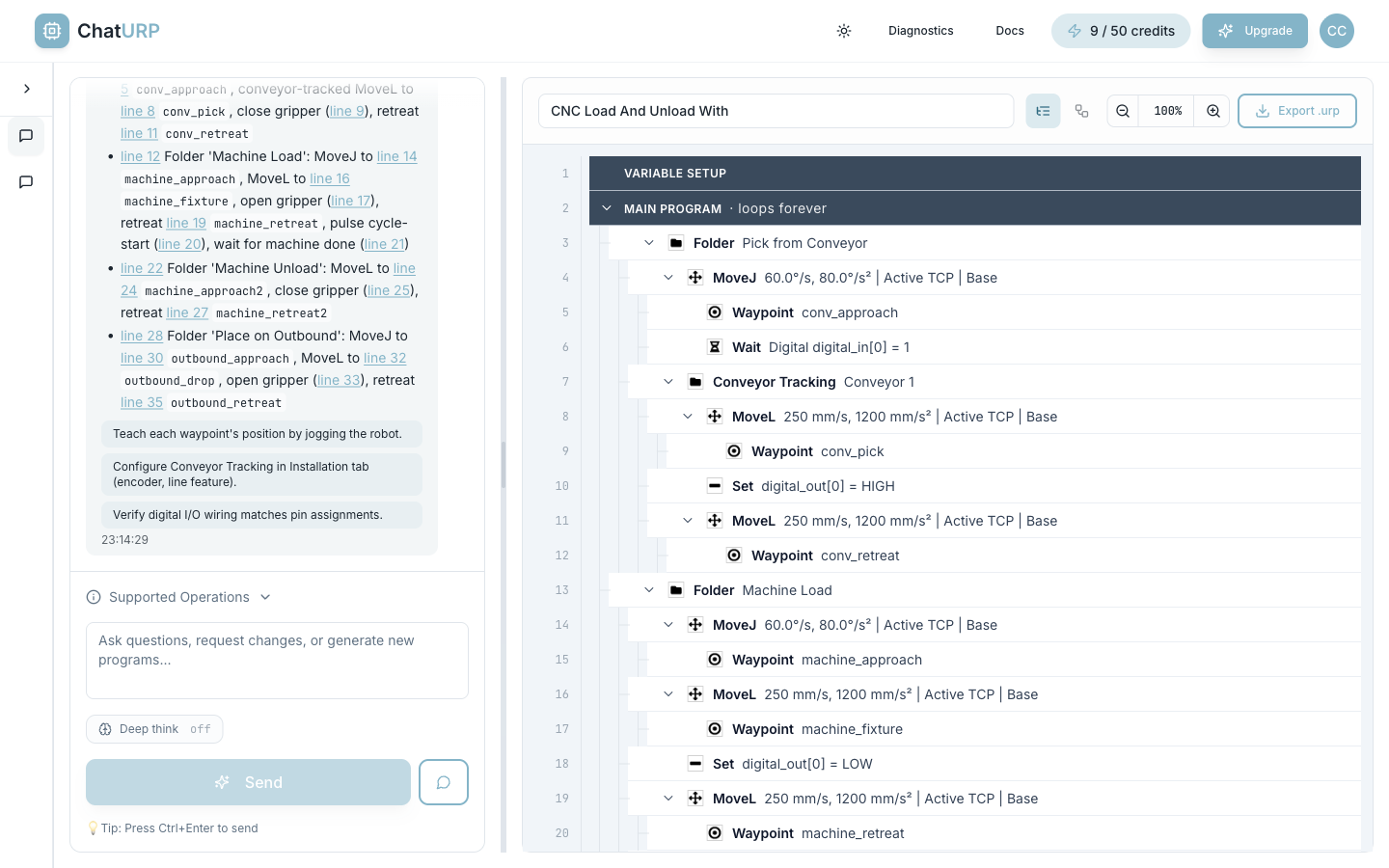
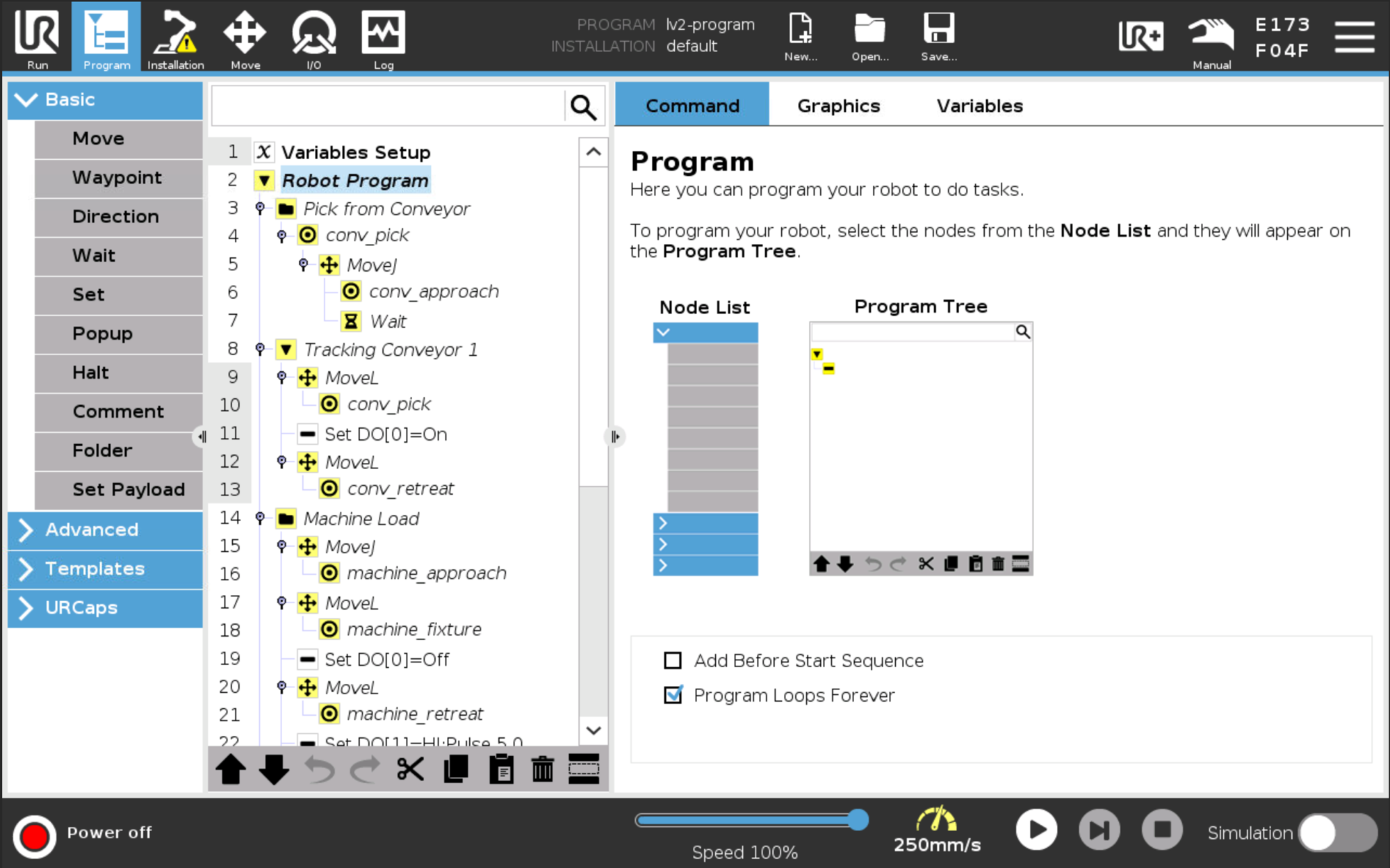
Inspect the tree
Every program is an editable tree - folders for Pick from Conveyor, Machine Load, Machine Unload, Place on Outbound. Click any node to refine.
Download & deploy
Export the .urp, load it in Polyscope, teach the real waypoints, and run.
Start free. Upgrade when you need to.
30 free credits on sign-up, no card required. Paid plans add monthly credits, performance reports and AI log analysis.
Frequently asked
Built for a factory network, not a demo
We would rather be precise than reassuring, so here is what is actually in place - and on the Trust page, what we deliberately do not claim.
Never used for training
Contractually prohibited - clause 4.2 of the OpenAI Services Agreement our account is on, not a policy we could quietly change.
The model never sees who you are
No name, email, account id or IP address reaches it. Generation runs server-to-server from our backend, and that is enforced in code.
Your data is stored in the EU
Programs, chats and account records live in Stockholm. No analytics, no advertising, no session replay, no cookies at all.
Every subprocessor named
All six listed with purpose and location, each under an Art. 28 agreement, every non-EU transfer on Standard Contractual Clauses.
Need something ChatURP cannot generate?
ChatURP writes the program. Bots & Bits plans the application around it - feasibility, cell concept, custom URCaps - and brings in manufacturing partners for the hardware.
Generate your first program in under a minute.
No card required. 30 free credits on sign-up.